
01
Open Your Account
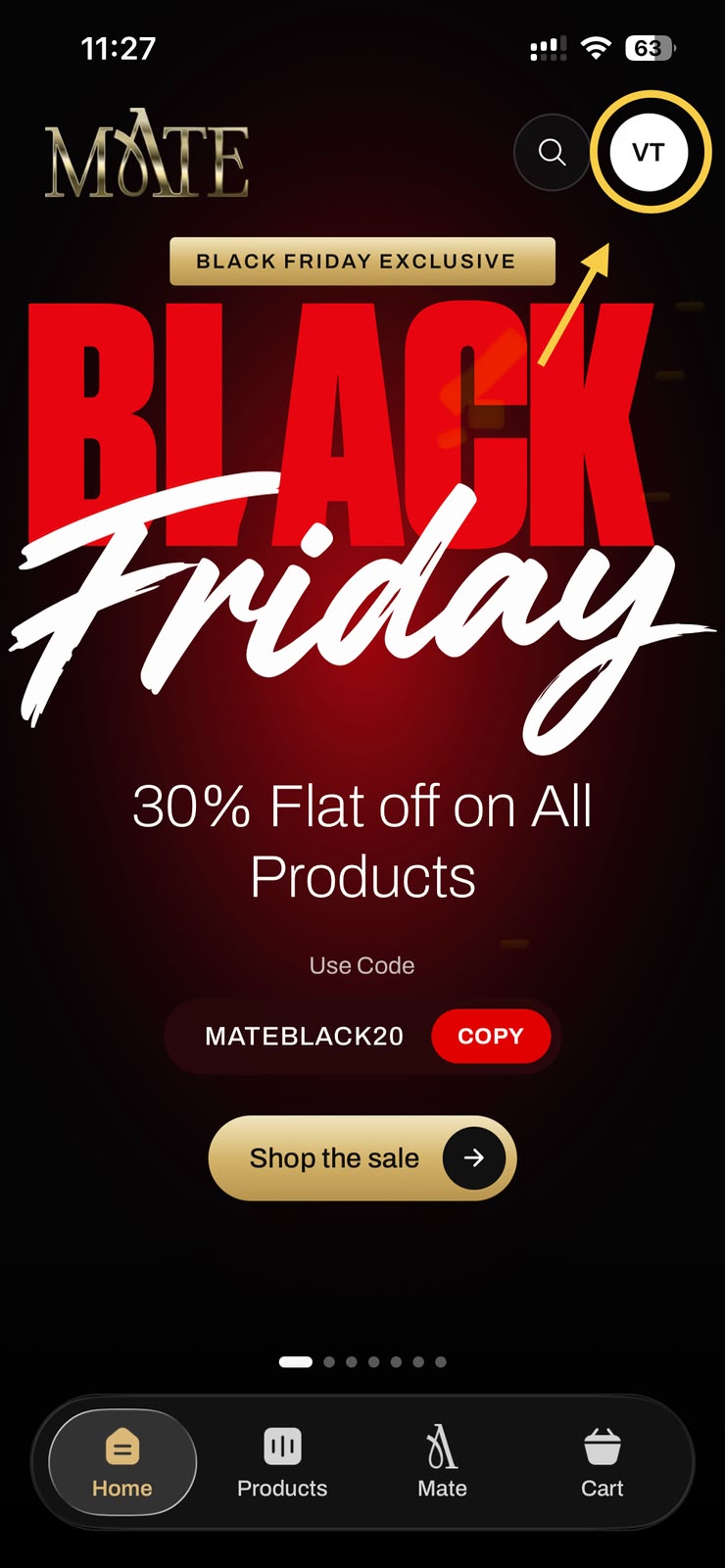
Sign in to the Mate Luxury app. Tap your profile icon in the top-right corner, then open your Account page.
A simple guide to permanently deleting your Mate Luxury account.
Sign in to the Mate Luxury app. Tap your profile icon in the top-right corner, then open your Account page.
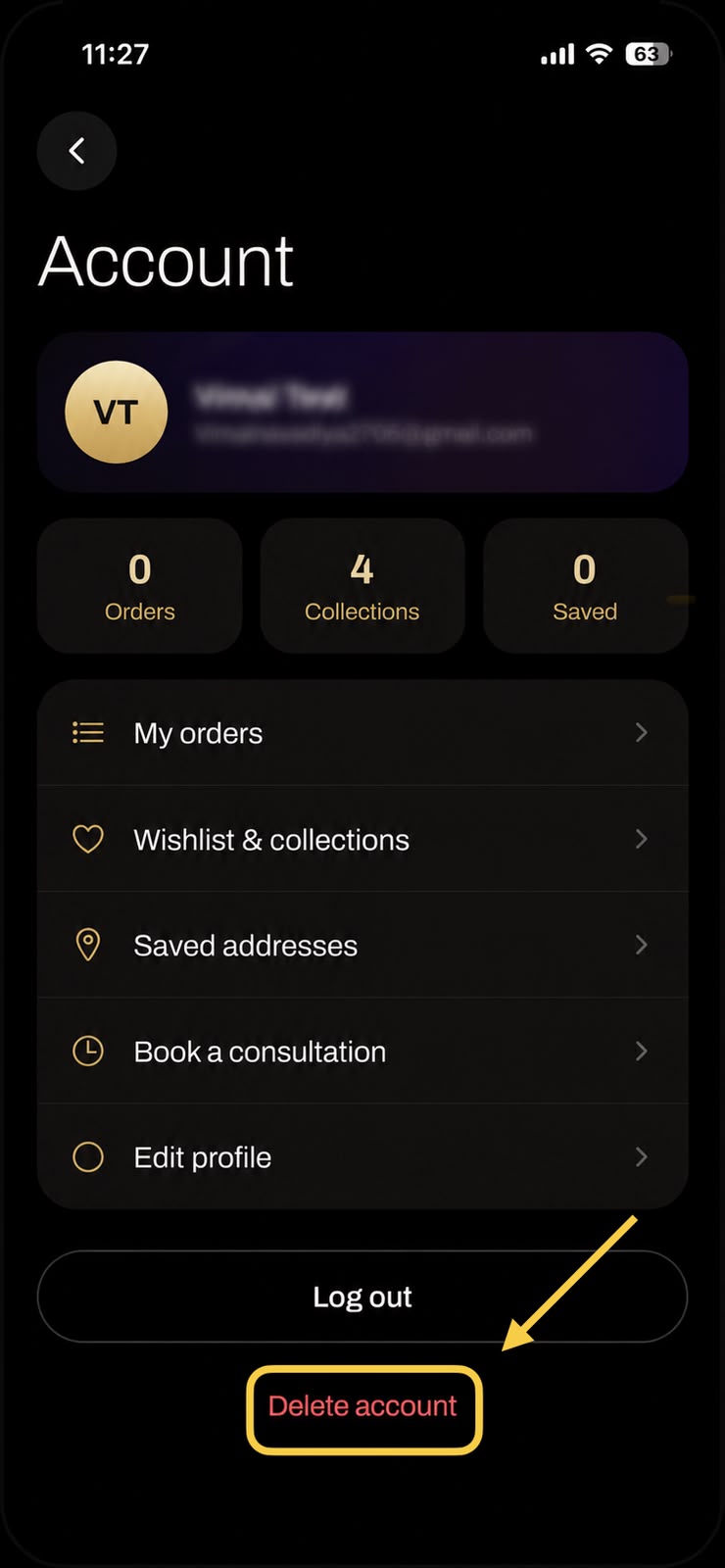
Scroll to the bottom of your Account page and tap the red Delete account option.
Choose the reason that best describes why you're leaving. Tap Delete account to submit your request.
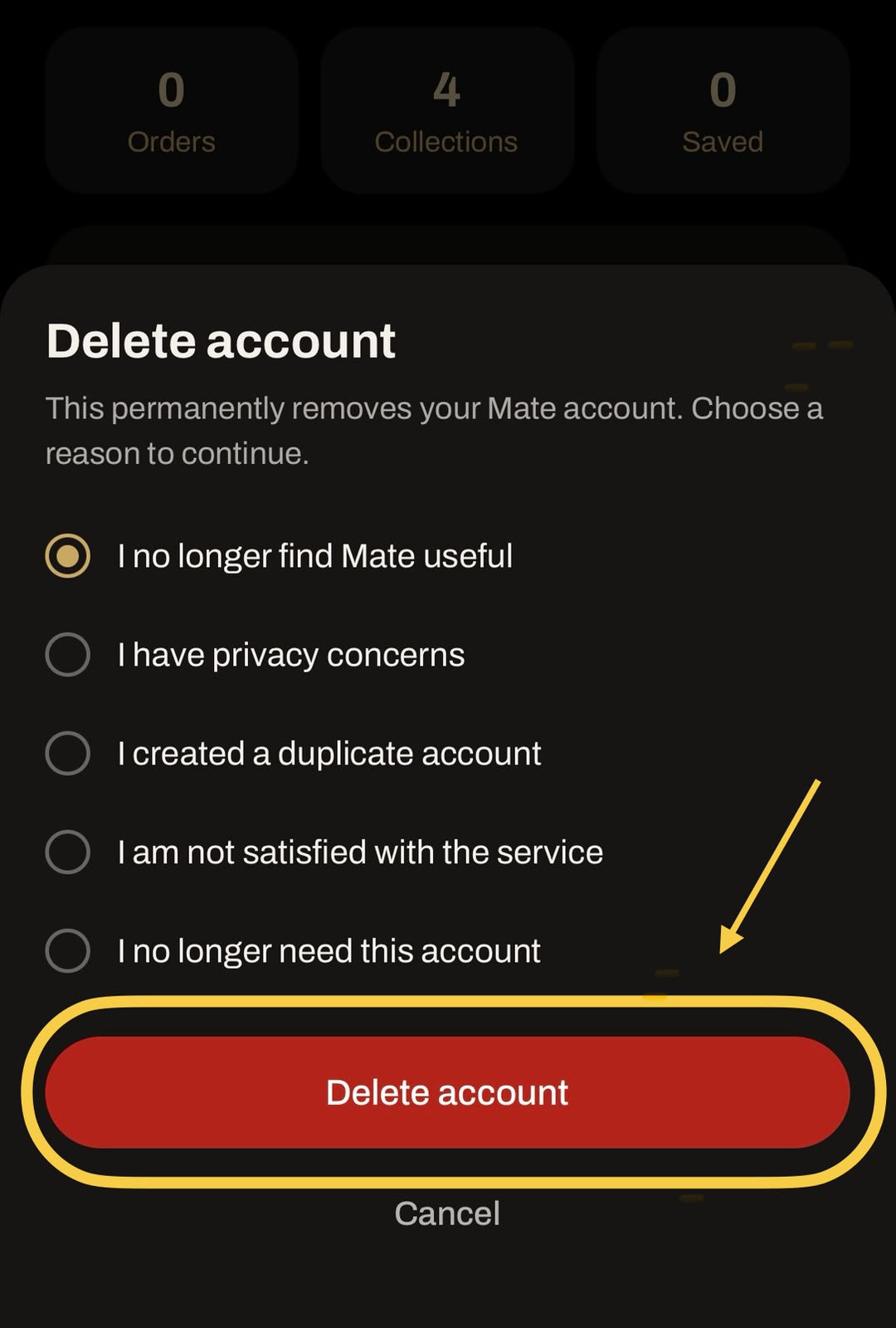
Your account and associated data will be deleted according to Mate Luxury's data deletion policy. Certain information may be retained where legally required.
If you have trouble deleting your account or need guidance, reach out to Customer Care.
Mate Luxury · Customer Care